
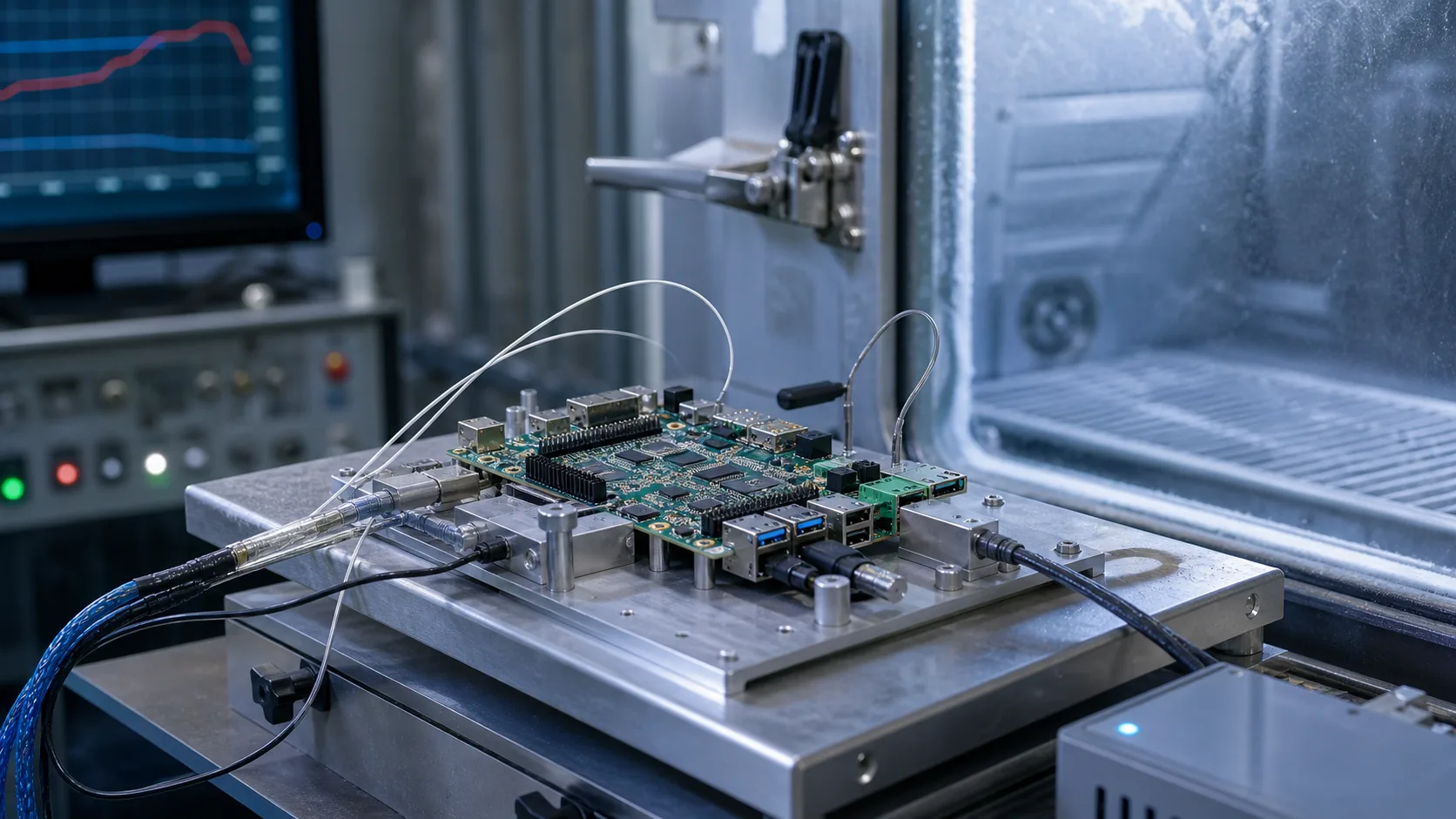
Wide temperature SBC design is about more than buying a board labeled “-40 to 85 C.” A real product must keep working when the processor, memory, storage, power supply, connectors, display, cables, and enclosure are all exposed to harsh conditions. Temperature affects performance, timing, battery behavior, storage endurance, plastics, adhesives, and reliability.
An industrial SBC can be a good starting point, but the final system rating belongs to the whole product.
Understand the Rating
Temperature ratings can refer to different things:
| Rating type | Meaning |
|---|---|
| Ambient temperature | Air around the product |
| Case temperature | Surface of a component or enclosure |
| Junction temperature | Internal silicon temperature |
| Storage temperature | Non-operating limit |
A processor may support a high junction temperature, but the product may still fail because the SSD, LCD, or power supply is not rated for the same environment.
Component Selection
Wide temperature design requires checking every critical component:
- processor and memory
- eMMC or SSD
- Ethernet PHYs
- power regulators
- capacitors
- connectors
- display panel
- touch sensor
- battery or RTC cell
- wireless module
- thermal interface material
Electrolytic capacitors, batteries, LCDs, and consumer SSDs are common weak points. If the product must operate at -40 C, verify cold-start behavior. If it must operate at 85 C ambient, verify storage and display limits carefully.
Thermal Design at High Temperature
High-temperature operation is often harder than low-temperature operation. At high ambient, the temperature difference between the enclosure and air is smaller, so heat rejection becomes less effective.
Wide-temperature planning should start with realistic heat estimates. The x86 vs ARM power consumption guide for fanless industrial SBCs is useful when deciding whether a sealed enclosure has enough thermal margin.
For fanless systems, test:
- maximum application load
- final enclosure
- worst mounting orientation
- full display brightness
- active network/modem
- storage writes
- solar load if outdoor
If the processor throttles, decide whether performance remains acceptable. If storage overheats, data integrity may be at risk.
Cold Start
Cold operation creates different problems. Oscillators, displays, batteries, and storage may behave differently. LCD response can slow down. Power supplies may struggle during startup. Cables and plastics become less flexible.
Test cold boot after the entire system has soaked at the minimum temperature. A device that keeps running at -20 C after warm boot may not start from -20 C.
Condensation and Humidity
Temperature swings can create condensation. Outdoor equipment and vehicles may move between cold and warm environments. Moisture can cause corrosion, leakage currents, and connector failures.
Mitigation options include:
- conformal coating
- sealed or vented enclosure design
- desiccant
- breathable membranes
- proper cable glands
- corrosion-resistant connectors
- avoiding trapped moisture during assembly
Do not seal moisture inside the enclosure by accident.
Storage at Temperature
Flash storage behavior changes with temperature. High temperature accelerates wear and data retention loss. Low temperature can affect write behavior. Industrial eMMC or SSDs are worth considering for harsh environments.
For wide-temperature products:
- avoid excessive logging
- use industrial-grade storage
- test power loss at hot and cold
- monitor SSD temperature if possible
- keep free space available
- use update rollback
Power Input
Power supplies are temperature-sensitive. Regulators may derate at high temperature. Capacitors age faster. Vehicle and outdoor systems also face voltage transients.
Check:
| Power issue | Design response |
|---|---|
| Cold start current | Validate startup at low temperature |
| High-temperature derating | Size regulators with margin |
| Surge | Add protection |
| Brownout | Define recovery behavior |
| Reverse polarity | Protect input |
| Power cut | Protect storage |
Derating
Running every component at its maximum rating is poor practice. Derating improves reliability. If a capacitor, regulator, or SSD is always near its limit, field life will suffer.
Design margin should cover manufacturing variation, dust, aging, and customer installation differences. A product that passes one lab test with no margin is not ready.
Validation Plan
| Test | Purpose |
|---|---|
| Cold boot soak | Verify startup at minimum temperature |
| Hot operational soak | Verify sustained load at maximum temperature |
| Thermal cycling | Detect mechanical and solder stress |
| Humidity exposure | Identify condensation and corrosion risk |
| Power cycling | Validate recovery |
| Storage write test | Check endurance and corruption risk |
| Display test | Verify readability and touch |
Run the real application during the test. A synthetic CPU load is not enough.
Displays and Human Interfaces
Displays are often the limiting component in wide-temperature products. LCD response can slow at low temperature, backlights lose brightness over time, and touch panels may behave differently with gloves, moisture, or condensation. If the product includes an HMI, test readability and touch accuracy across temperature, not only board operation.
Buttons, connectors, and cable jackets also change with temperature. Plastic can become brittle in cold environments. Adhesives can soften or creep in heat. These mechanical details can decide whether a product remains serviceable after years outdoors.
Documentation for Customers
Wide-temperature products should publish clear operating limits. State whether the rating is for ambient temperature, enclosure surface temperature, or internal board temperature. Explain any derating, such as reduced CPU performance at high ambient or limited charging below freezing.
Clear documentation protects both the supplier and the customer. It prevents a device rated for a specific installation condition from being used in a sealed metal box in direct sun without thermal review.
Platform Selection
Industrial ARM SBCs are often better for wide-temperature fanless systems because they consume less power. x86 platforms may be necessary for software compatibility but need more thermal planning. Board vendors may offer commercial and industrial temperature variants; make sure the exact SKU is rated.
Recommendation
Treat wide temperature as a system requirement, not a board feature. Choose components with margin, validate the final enclosure, test cold start and hot operation, and document limits clearly.
The best wide-temperature SBC design is conservative. It uses less power than the enclosure can dissipate, writes less than the storage can tolerate, and keeps every critical component inside its real operating range.