
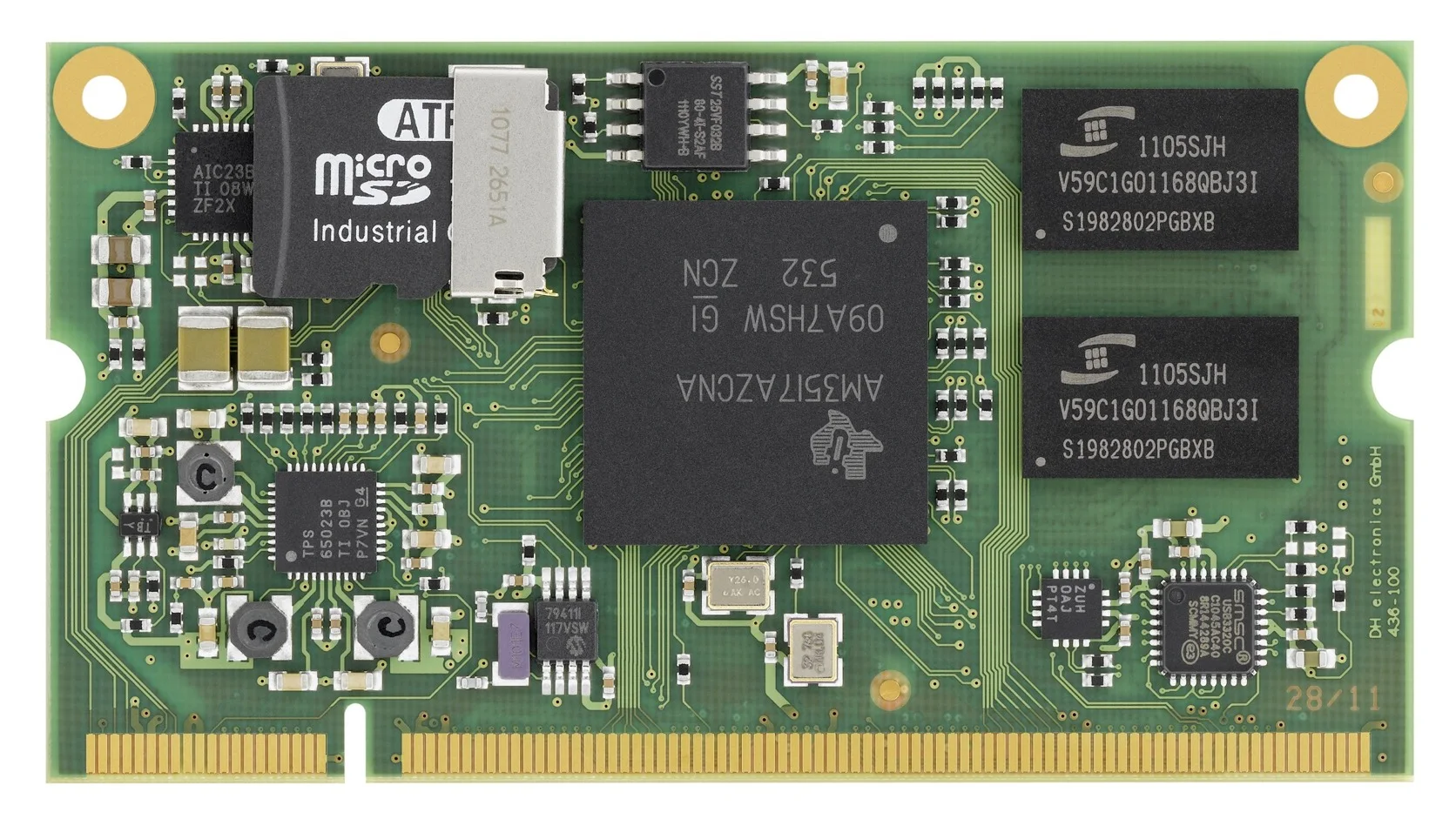
An SBC is normally a complete, usable computer on one board. A SOM or COM concentrates the processor, memory, and other difficult high-speed circuitry on a smaller module that plugs into, or is soldered onto, a carrier board. The carrier supplies the product-specific connectors, power input, field I/O, and mechanical layout.
There is one terminology trap worth clearing up at the start: SOM and COM are often used for the same general product class. “System-on-module” is the broad descriptive term. “Computer-on-module” is common in industrial computing and may refer to a standardized format such as COM Express, SMARC, or OSM. A vendor can also sell a proprietary SOM and call it a COM. The connector specification matters more than the label.
SBC vs SOM vs COM at a Glance
| Factor | SBC | Proprietary SOM/COM | Standard COM |
|---|---|---|---|
| Ready to boot alone | Usually yes | Usually no | No |
| Custom carrier required | Optional | Yes | Yes |
| Development speed | Fastest | Medium | Medium |
| Product-specific I/O | Limited by board | Highly flexible | Highly flexible |
| Up-front engineering cost | Low | Higher | Higher |
| Unit cost at volume | Can include unused features | Better optimized | Module premium remains |
| Vendor choice | Board-specific | Usually single-source module | Potential multi-vendor ecosystem |
| High-speed PCB difficulty | Vendor handles it | Module vendor handles CPU/RAM | Module vendor handles CPU/RAM |
| Mechanical freedom | Board shape is fixed | Carrier shape is custom | Carrier shape is custom |
The practical choice is between buying a finished board and designing a product-specific baseboard around a compute module.
What an SBC Gives You
An SBC exposes usable connectors and can often be powered directly. Ethernet jacks, USB ports, display outputs, storage sockets, and serial connectors are already placed and routed. That removes a large amount of board design and bring-up work.
This is attractive when:
- annual volume is modest
- the enclosure can accept the board shape
- the existing I/O is close to the requirement
- time to market matters more than squeezing the BOM
- the product can tolerate external cables or small adapter boards
The downside appears when the product needs five things the SBC does not have and pays for ten things it does not use. A stack of USB adapters, internal cables, and hand-wired power boards is usually a sign that the design has outgrown the original SBC.
What Moves onto a SOM or COM?
A typical module contains the high-risk digital core:
- processor or SoC
- DDR memory and its high-speed routing
- boot flash or eMMC
- power-management ICs and sequencing
- clocks
- often an Ethernet PHY, security element, or wireless radio
The carrier board provides the application layer:
- input protection and DC/DC conversion
- external Ethernet magnetics and connectors
- RS-232/485 and CAN transceivers
- display, camera, USB, and audio connectors
- M.2 or other expansion sockets
- isolation, relays, ADCs, or application-specific circuitry
This split lets a team customize the product without routing DDR or solving the processor power tree. It does not make the carrier board trivial. PCIe, MIPI CSI/DSI, USB 3, impedance control, return paths, ESD, and connector placement still require competent PCB engineering.
Standard COM vs Proprietary SOM
Standard modules define mechanical dimensions, connector positions, pin assignments, and electrical rules. PICMG’s COM Express family targets modular embedded computing with a carrier board, while SGET’s SMARC format targets relatively compact, low-power modules. SGET’s OSM standard takes a different approach: the module is soldered as a BGA rather than inserted into a connector.
| Module approach | Main advantage | Main caution |
|---|---|---|
| COM Express | Mature x86-oriented ecosystem and high-speed I/O | Larger, higher-power, and carrier rules must be followed closely |
| SMARC | Compact, low-power ARM or x86 modules | Interface options depend on module and standard revision |
| OSM | Small, machine-assembled solder-down module | Replacement and rework are harder than socketed modules |
| Proprietary SOM | Vendor can optimize size, connector, and features | Future modules may depend on one supplier and one pinout |
A standard connector improves the chance of a future replacement. It does not guarantee drop-in interchangeability. A new module may require a different BIOS, device tree, power budget, cooling solution, or carrier revision. Treat “upgradeable” as a design goal to verify, not as a property granted by the connector.
Where the Cost Break-Even Usually Appears
There is no universal production volume at which a SOM becomes cheaper. The break-even depends on carrier complexity, certifications, engineering rates, and how much of the SBC is wasted.
Use a project-level comparison:
| Cost item | SBC route | SOM/COM route |
|---|---|---|
| Board development | Minimal or small adapter | Carrier schematic, layout, prototypes, bring-up |
| Compliance | Full product still needs testing | Full product still needs testing |
| Mechanical work | Adapt enclosure to fixed board | Place connectors for the enclosure |
| Unit hardware | Finished SBC plus adapters/cables | Module plus custom carrier |
| Assembly | More cable and bracket work possible | Cleaner integrated assembly |
| Revision effort | Follow SBC vendor changes | Maintain carrier and qualify module changes |
One useful way to frame it is:
break-even quantity = extra non-recurring engineering cost
                      / unit savings of the modular design
The arithmetic is easy. Estimating realistic unit savings is harder. Include assembly time, internal cables, failure points, test fixtures, and service labor—not only the PCB quotations.
How Form Factor Changes Risk
Power
An SBC often includes a finished input stage. A module usually expects tightly controlled rails from the carrier. The carrier must meet ramp, sequencing, ripple, and standby requirements across temperature and load.
Thermal Design
A module can provide a defined heat-spreader interface, which helps mechanical design. It can also concentrate heat into a small area. Check module power at sustained load and decide where the heat goes before freezing connector locations.
I/O Ownership
With an SBC, the board vendor owns most external I/O implementation. With a module, your team owns the transceivers, protection, connectors, and EMC behavior on the carrier. That control is valuable, but it also transfers responsibility.
Software
Carrier customization changes software. A new Ethernet PHY, GPIO expander, panel, camera, or power controller needs device-tree, ACPI, firmware, or driver work. Budget software bring-up alongside PCB bring-up.
A Decision Table by Product Situation
| Product situation | Usually the better starting point | Why |
|---|---|---|
| 50 machines for an internal factory line | Industrial SBC | Avoid carrier NRE and shorten delivery |
| 500 identical gateways with simple I/O | Depends | SBC may still win if enclosure and I/O fit |
| 5,000 compact HMIs with custom connectors | SOM/COM | Mechanical and BOM optimization start to pay |
| Regulated device with a ten-year roadmap | Standard COM or carefully managed SBC | Replacement and documentation strategy matter |
| Battery product with unusual shape | SOM | Better control of size and power tree |
| High-performance x86 edge server | COM Express or COM-HPC | High-speed compute core stays modular |
These are prompts, not volume rules. A complex safety or medical product can justify a module at low volume because changing the carrier is less disruptive than changing the compute core. A simple high-volume product may eventually move beyond a module to a full custom board.
Carrier Board Questions to Ask Early
Before choosing a module, obtain the design guide and answer these questions:
- Which signals are native from the SoC, and which pass through bridges?
- What are the permitted carrier trace lengths and layer-stack requirements?
- Which module pins change function between product variants?
- What power rails, sequencing, sleep currents, and wake signals are required?
- Is a reference carrier schematic available in editable form?
- How is the module recovered if the boot storage is blank?
- What happens to the carrier when the next module generation arrives?
If the vendor provides only a pinout and a PDF marketing sheet, the module is not ready for a low-risk carrier design.
The Upgradeability Myth
Modularity isolates change, but it does not eliminate qualification. A replacement module should be treated as a controlled design change. At minimum, repeat:
- boot and recovery tests
- peripheral and bandwidth tests
- thermal validation
- EMC pre-compliance checks
- power-cycle and brownout tests
- application performance tests
- software update and rollback tests
The benefit is that the enclosure and much of the product-specific I/O can remain stable. That can save months, especially when external connectors and cable assemblies are already certified or installed in the field.
Recommendation
Start with an industrial SBC when it fits the enclosure and exposes most of the required I/O. Move to a SOM or COM when connector placement, size, unit cost, or lifecycle isolation justifies owning a carrier board.
For a module design, choose the ecosystem before choosing the processor. A slightly slower module with a good design guide, active BSP, long roadmap, and compatible alternatives is often a safer product decision than the fastest module with a proprietary connector and thin documentation. The broader industrial SBC selection checklist is useful for scoring either route.
Frequently Asked Questions
Is a SOM the same as a COM?
Often, yes. Both terms describe a compute module used with a carrier board. COM is more commonly associated with industrial module standards, while SOM is a broad generic term. Always check the actual connector and specification.
Does a SOM include storage?
Many modules include eMMC or SPI flash, but not all do. Removable or high-capacity storage often remains on the carrier.
Can one carrier support ARM and x86 modules?
Some standards permit both, but software, power, thermal, display, and optional-interface differences can still prevent practical interchangeability.
Is a custom carrier cheaper than an SBC?
It can be at sufficient volume or when it removes adapters, cables, unused interfaces, and assembly work. The carrier’s engineering, prototypes, compliance work, and maintenance must be included in the calculation.
Source Notes
Module descriptions were checked against the official PICMG COM Express overview, PICMG COM-HPC overview, SGET SMARC specification page, and SGET OSM specification page. Consult the exact revision of the selected module standard and the vendor’s carrier design guide before beginning layout.
Hero photo: DHCOM computer-on-module with AM35x processor by Pe wiki editor, licensed under CC BY-SA 3.0. The original product photograph was cropped and converted to WebP.
