
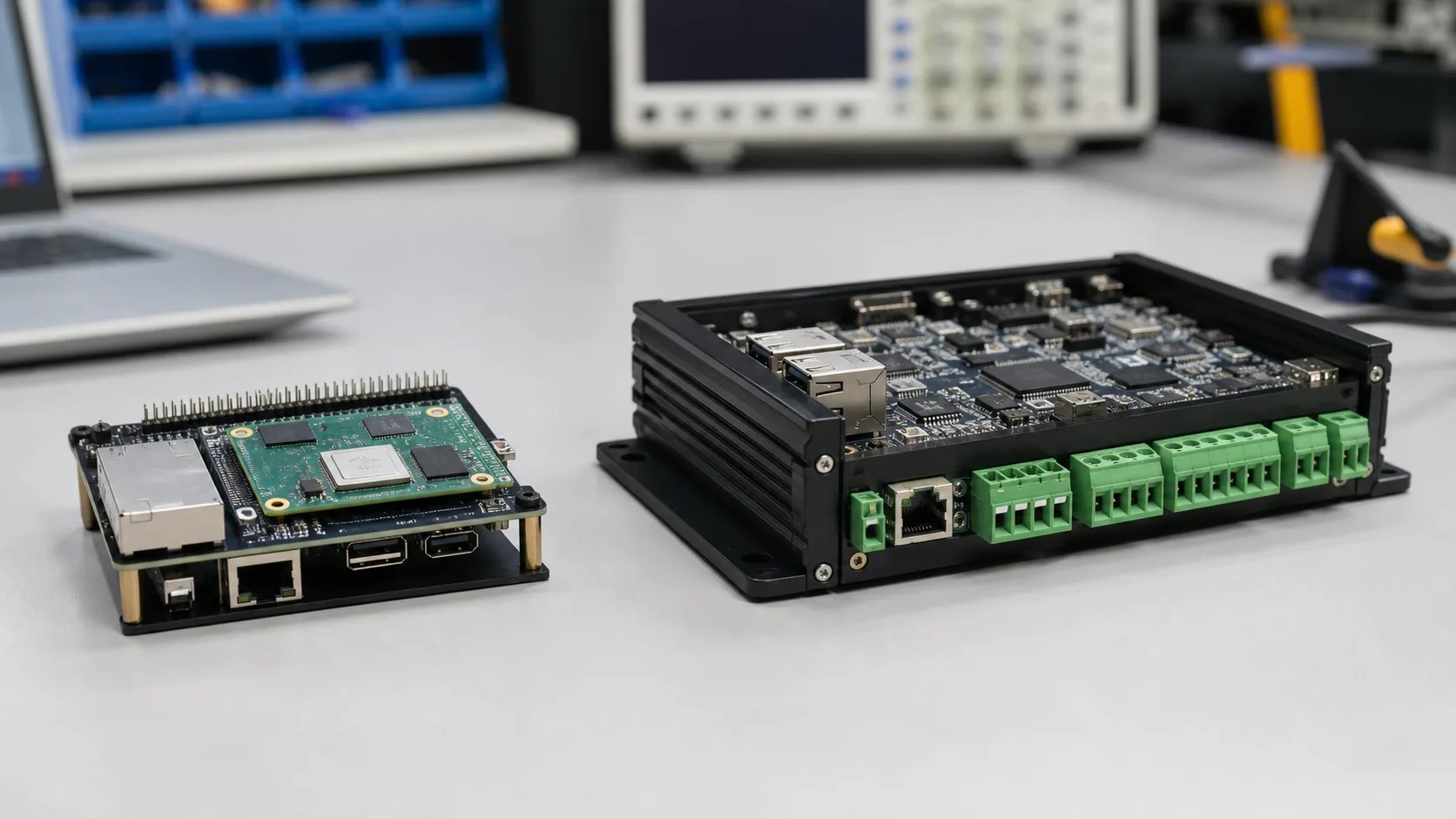
Raspberry Pi Compute Module 4 is a strong prototyping platform. It is compact, familiar, well documented, and supported by a large software community. Many industrial products begin on a Raspberry Pi because engineers can build a working demo quickly. The harder question is whether CM4 should remain in the final production device or whether the product should move to an industrial ARM SBC or custom carrier design.
There is no universal answer. CM4 can be used in commercial and industrial products when its limitations are understood and the carrier board is designed properly. But a purpose-built industrial ARM SBC may be better when the system needs wide temperature operation, rugged I/O, long lifecycle assurance, isolation, certified power input, and vendor support for a specific embedded use case.
Quick Comparison
| Area | Raspberry Pi CM4 | Industrial ARM SBC |
|---|---|---|
| Best role | Prototype, pilot, low-volume product | Production embedded deployment |
| Ecosystem | Very strong community | Vendor-specific, often more formal |
| I/O | Flexible through carrier board | Often includes industrial I/O by default |
| Temperature | Depends on variant and design | Often available in wide-temperature SKUs |
| Lifecycle | Availability varies by Raspberry Pi program and market | Often specified for long-life industrial supply |
| Support | Community plus commercial channels | Board vendor support, BSP, documentation |
Why CM4 Is So Attractive
CM4 lowers friction. Engineers can bring up Linux quickly, connect cameras and displays, use common libraries, and find examples for almost any peripheral. For proof-of-concept work, that is valuable. A team can validate UI flow, cloud connectivity, camera placement, and basic performance before committing to a custom industrial board.
CM4 also separates the compute module from the carrier board. That allows product teams to design a custom carrier with their own connectors, power input, enclosure shape, and expansion. This is better than embedding a full hobby-style board into a product.
Where CM4 Becomes Risky
Industrial systems are usually punished by environment, uptime, and support expectations. A prototype might run for two hours in an office. A deployed system may run for five years in a cabinet with heat, dust, vibration, poor grounding, and unstable power.
CM4 projects often run into problems around:
- power input protection
- eMMC sizing and write endurance
- thermal transfer from module to enclosure
- industrial serial or CAN interfaces
- ESD and surge protection
- connector retention
- real-time behavior
- long-term OS maintenance
- product compliance documentation
None of these are impossible to solve. But solving them turns the project into a real embedded hardware design, not a simple Raspberry Pi project.
Industrial ARM SBC Advantages
An industrial ARM SBC is usually less exciting at first glance but more complete for deployment. It may include 9-36 V input, terminal blocks, RS-232/422/485, CAN, isolated I/O, watchdog, RTC battery, DIN-rail mounting, wide-temperature components, and a metal enclosure option.
The value is integration. If the product needs two RS-485 ports, dual Ethernet, ignition control, and a wide-temperature rating, buying a board that already supports those features can reduce engineering risk. If the decision expands from CM4 versus another ARM board into ARM versus a PC-class platform, the ARM vs x86 industrial SBC comparison becomes part of the architecture review rather than a module-selection detail.
| Requirement | CM4 approach | Industrial ARM SBC approach |
|---|---|---|
| RS-485 | Add transceiver on carrier | Often built in |
| CAN | Add controller/transceiver | Often available |
| Wide input power | Custom power design | Often built in |
| Enclosure thermal path | Custom design | Often documented |
| Compliance | Product team owns more work | Vendor may provide support files |
| BSP support | Raspberry Pi OS ecosystem | Vendor Linux/Android BSP |
Software and Maintainability
CM4 has excellent software availability. Raspberry Pi OS, Debian-based workflows, camera tools, overlays, and community examples reduce early development time. That makes CM4 very good for prototypes, lab devices, and products where community support is enough.
Industrial ARM SBCs can be more uneven. Some vendors provide strong Yocto layers, kernel sources, documentation, and update tools. Others provide a single image with limited explanation. The brand matters less than the support quality.
For production, ask these questions:
- Can we reproduce the OS image from source?
- Can we update securely in the field?
- Can we pin kernel and bootloader versions?
- Does the vendor publish schematics or at least a block diagram?
- Are camera, display, and GPIO interfaces documented?
- What happens when a component reaches end of life?
Performance
CM4 is not slow for many embedded tasks. It can handle gateways, dashboards, camera capture, light vision, and local services. But newer industrial ARM SBCs based on RK3568, RK3588, NXP i.MX8M Plus, or other SoCs may offer better NPU support, more industrial I/O, different display options, or stronger thermal design.
The performance choice should be tied to the workload. If the product is a sensor gateway, CM4 may be enough. If the product requires edge AI, multiple cameras, or a bright 24/7 HMI in a sealed metal enclosure, an industrial SBC may be safer.
Lifecycle and Supply
Supply planning is one of the biggest differences between prototype and product. Industrial products need predictable availability, revision control, and change notices. CM4 availability has improved over time, but product teams should still verify the specific module variant, memory, wireless option, and eMMC capacity needed for production.
Industrial SBC vendors often claim long-life availability, but claims must be checked. Ask for PCN policy, last-time-buy process, compatible replacement plan, and BOM control.
Recommendation
Use Raspberry Pi CM4 when you need fast development, strong community support, and a flexible compute module for prototypes or moderate-volume products. Use an industrial ARM SBC when the product needs rugged I/O, wide-temperature operation, formal vendor support, deployment-ready power design, and lower integration risk.
The best path is often hybrid: prototype on CM4, learn the real workload, then decide whether to keep CM4 with a robust carrier or move to an industrial SBC. Do not make that decision based only on module price. Include enclosure, support, certification, thermal work, carrier design, and field maintenance.
Source Notes
Raspberry Pi’s official Compute Module 4 documentation describes it as a compact module based on the Raspberry Pi 4 generation platform with options for RAM, eMMC, and wireless connectivity. Industrial ARM SBC vendors typically add deployment-focused features such as wide input power, serial/CAN interfaces, watchdogs, and enclosure support. Always compare the final carrier and board design, not only the compute module.