
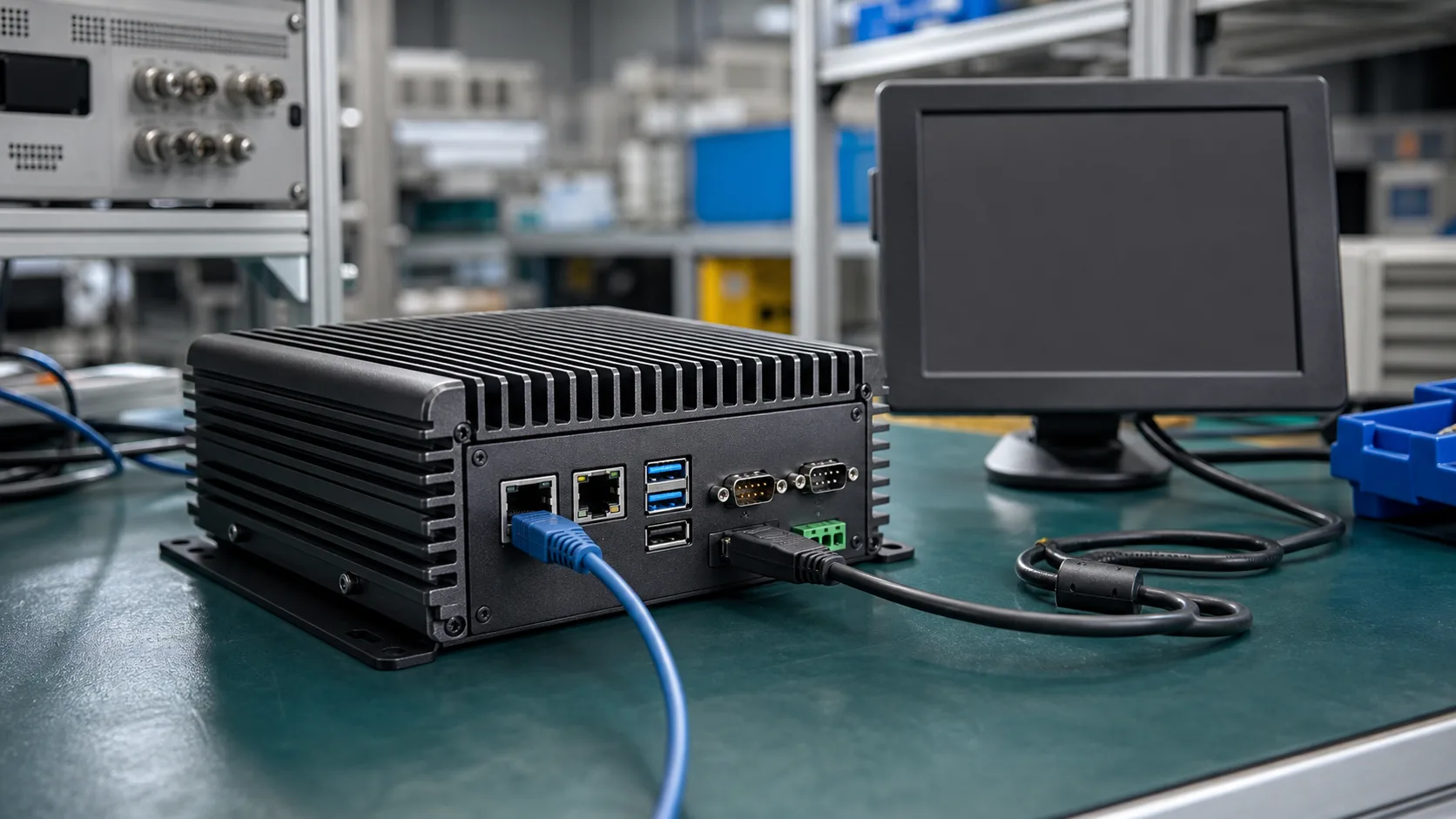
Intel Atom x7000E processors are designed for embedded and edge systems that need x86 compatibility without the thermal and cost profile of a higher-end Intel Core platform. For fanless industrial PCs, that makes the family interesting. It can run familiar Windows and Linux software, support industrial I/O through board-level design, and fit into compact enclosures where active cooling is undesirable.
The key is expectation management. Atom x7000E is not a low-cost substitute for a Core i5 industrial PC. It is a platform for workloads that need x86 software compatibility, stable I/O, low-to-moderate power draw, and long unattended operation.
Why x86 Still Matters in Industrial Systems
ARM has gained a lot of ground in gateways, HMIs, and edge devices, but x86 remains important in factories and commercial equipment. Many systems still depend on Windows applications, legacy drivers, SCADA software, machine control utilities, USB devices, PCIe cards, and vendor tools built for x86.
If the software is already validated on Windows or x86 Linux, moving to ARM can create hidden costs: porting, driver replacement, retesting, staff retraining, and new failure modes. In that context, an Atom-based fanless PC can be the pragmatic option. The x86 requirement should still be tested against the broader ARM vs x86 industrial SBC decision before selecting an Atom-class board.
Typical Applications
| Application | Fit for Atom x7000E | Notes |
|---|---|---|
| Industrial HMI | Strong | Good when Windows or x86 Linux is required |
| Protocol gateway | Strong | Enough CPU for Modbus, MQTT, OPC UA, logging |
| Light machine vision | Moderate | Works for simple inspection, not heavy AI |
| Digital signage | Moderate | Depends on media resolution and display count |
| Edge AI | Limited to moderate | External accelerator may be needed |
| PLC replacement | Caution | Real-time requirements must be validated |
Atom x7000E is best when the system mostly runs control-adjacent software, UI, data collection, and networking services. If the application requires heavy multi-threaded analytics, GPU acceleration, or high-speed multi-camera processing, a Core, Xeon D, Ryzen Embedded, or accelerator-based platform may be more appropriate.
Fanless Thermal Design
Fanless does not mean heat disappears. It means the enclosure becomes part of the cooling system. A good Atom x7000E industrial PC uses a thermal stack that moves heat from the processor through a heat spreader or heat pipe into a metal chassis. The chassis then rejects heat into ambient air.
Common mistakes include:
- selecting a CPU based on nominal power only
- validating on an open bench instead of inside the final enclosure
- ignoring storage and power regulator heat
- installing the unit in a cabinet with no airflow
- assuming horizontal and vertical mounting behave the same
For an industrial PC, thermal validation should run under the worst realistic workload. That may include full display brightness, network traffic, USB devices powered, NVMe writes, and the application running for many hours. The thermal budget also depends on workload duty cycle, where the fanless industrial SBC power consumption comparison helps set expectations for Atom-class systems versus ARM alternatives.
Windows and Linux Support
One reason to choose Atom x7000E is software continuity. Windows IoT Enterprise can be useful for HMI software, vendor tools, and applications that depend on Microsoft ecosystems. Linux is often better for gateways, containers, remote management, and custom embedded services.
Atom sits inside a larger Intel roadmap. If the product team also tracks Core Ultra, NPU support, and future x86 platform direction, the broader Intel processor architecture overview for 2026 helps separate near-term embedded choices from consumer PC trends.
The hardware vendor matters. A strong board or system vendor should provide:
| Requirement | Why it matters |
|---|---|
| BIOS update policy | Security and hardware stability |
| Windows driver package | Shorter validation cycle |
| Linux kernel support | Better long-term maintainability |
| Watchdog support | Recovery from application hangs |
| TPM support | Secure boot and device identity |
| Power recovery settings | Automatic restart after power loss |
The SoC name alone does not guarantee these features are exposed correctly. Always review the actual industrial PC or SBC datasheet.
I/O and Expansion
Industrial PCs based on Atom x7000E often expose the features buyers expect: multiple LAN ports, USB, HDMI or DisplayPort, serial ports, GPIO, M.2 storage, mini PCIe, SIM slots, and sometimes CAN or isolated I/O. But many of these features come from board-level controllers, not directly from the processor.
That distinction matters. A four-LAN industrial PC may use a mix of native PCIe Ethernet controllers and other internal bridges. Serial ports may be implemented through PCIe or USB UART bridges. Storage may be SATA, eMMC, or NVMe depending on the design. If the product must meet strict latency or reliability targets, ask how each interface is implemented.
Performance Expectations
Atom x7000E systems are comfortable with:
- HMI applications
- local logging
- database-lite workloads
- industrial protocol translation
- remote monitoring agents
- browser kiosk interfaces with moderate complexity
- containerized services if resource limits are controlled
They are less suitable for:
- heavy local AI inference without acceleration
- large SQL databases
- multiple high-resolution video analytics streams
- rich 3D visualization
- CPU-heavy compression or encryption at high throughput
The best way to size the platform is to run the actual workload with CPU, memory, disk, and network telemetry enabled. Synthetic benchmarks are useful for comparison, but they do not reveal whether your application has driver stalls, memory leaks, or storage bottlenecks.
Storage and Power-Loss Behavior
Fanless industrial PCs are often installed where power quality is not perfect. If the system writes logs, databases, or production records, storage behavior matters as much as CPU selection.
Use industrial-grade SSDs or eMMC where appropriate, enable filesystem protections, and test sudden power cuts. If the system cannot tolerate data loss, consider a small UPS, supercapacitor-backed shutdown circuit, or application-level journaling.
Recommendation
Choose Intel Atom x7000E when your product needs x86 compatibility, fanless operation, modest power draw, industrial I/O, and dependable 24/7 behavior. It is a good fit for HMIs, gateways, small machine controllers, digital signage controllers, and edge nodes that run familiar software.
Do not choose it only because it is x86. If the system is simple and Linux-based, ARM may be cheaper and cooler. If the system is performance-heavy, choose a higher class platform. Atom x7000E is strongest in the middle: more compatible than ARM, lower power than Core, and practical for sealed industrial boxes.
Source Notes
Intel positions Atom x7000E-class embedded processors for edge, industrial, and IoT systems where low power, x86 compatibility, and long-life embedded availability are important. Final capabilities depend heavily on the board vendor’s BIOS, I/O implementation, thermal design, and operating system support package.