
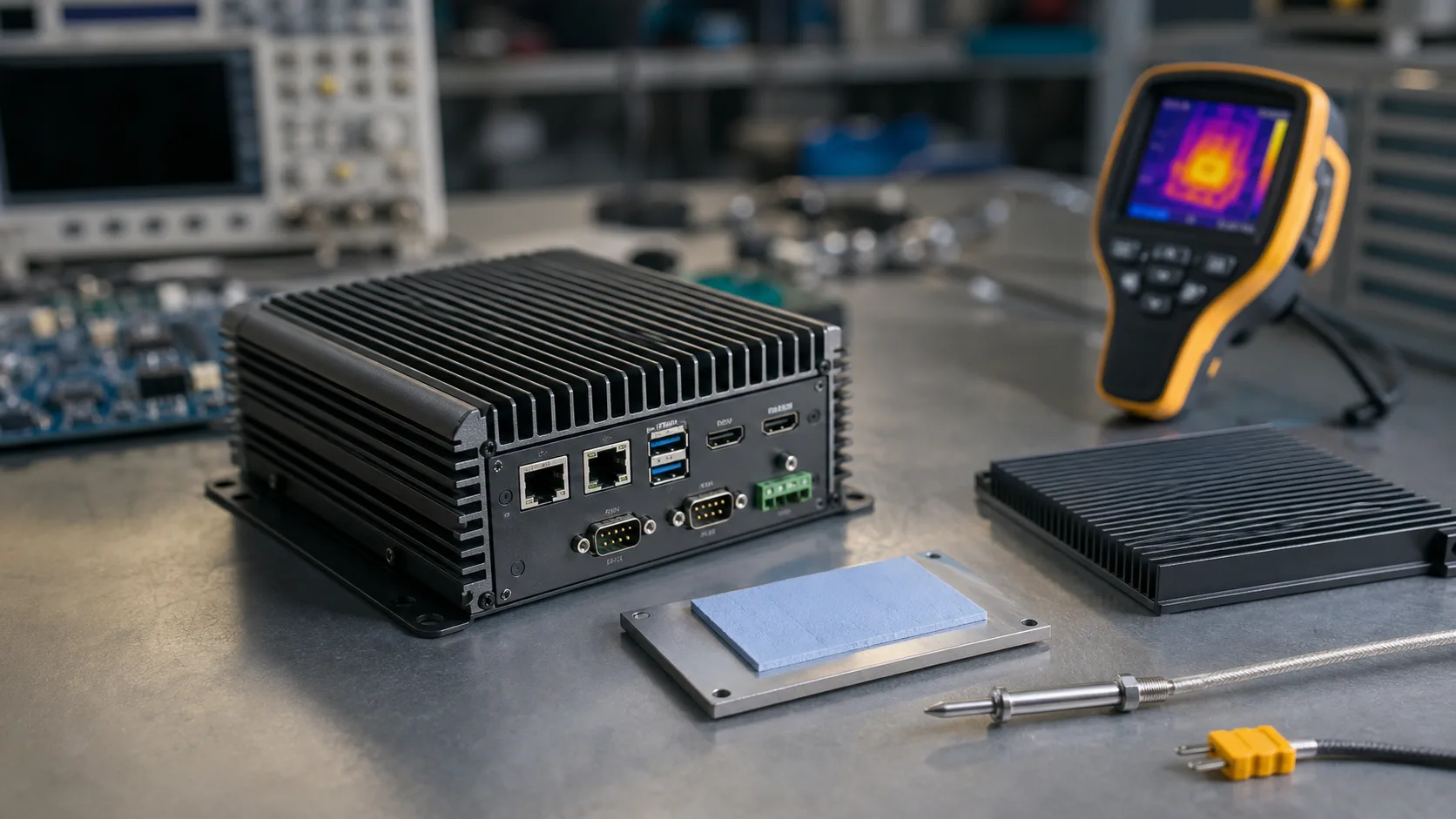
Fanless industrial computers are popular because they avoid moving parts, reduce dust intake, and improve acoustic behavior. But fanless design is not simply removing the fan. Heat still has to move from the processor and components to the outside air. If that heat path is weak, the system will throttle, crash, shorten component life, or fail in the field.
Thermal design should begin before the board is selected. A high-performance SBC in a sealed plastic box may be impossible to cool. A moderate SBC in a metal enclosure with a good thermal pad may run for years.
Understand the Heat Path
A fanless system moves heat through conduction and natural convection:
SoC -> thermal interface -> heat spreader -> enclosure -> ambient air
Each step adds thermal resistance. A poor thermal pad, uneven enclosure contact, or small plastic case can break the chain. The outside surface area of the enclosure matters because it is the final radiator.
TDP Is Not the Whole Story
Processor TDP is only a starting point. Real system heat includes:
- CPU, GPU, and NPU load
- memory
- storage
- Ethernet controllers
- LTE/5G modules
- display backlight
- power regulators
- USB devices
- PoE circuitry
A system with a “6 W processor” may still dissipate 12-18 W when all peripherals are active. If the processor choice is still open, x86 vs ARM power consumption for fanless industrial SBCs gives a practical baseline for the first thermal estimate.
Enclosure Material
Metal enclosures are preferred for fanless industrial computers because they spread heat and can act as a heatsink. Aluminum is common because it is light and thermally conductive. Plastic is possible for low-power systems, but it limits heat transfer.
| Enclosure | Thermal behavior | Best use |
|---|---|---|
| Plastic | Poor heat spreading | Low-power gateways |
| Aluminum | Good heat spreading | Fanless industrial PCs |
| Finned aluminum | Better surface area | Higher sustained load |
| Steel | Strong but less conductive | Rugged cabinets, with internal spreader |
If the enclosure is part of the thermal path, mechanical tolerance matters. The thermal pad must make reliable contact after assembly, vibration, and aging.
Ambient Temperature
A product rated for 60 C ambient must be tested at 60 C ambient. Room-temperature tests are misleading. The same device may work on a desk and fail inside a cabinet near a motor drive.
Consider:
- outdoor sun exposure
- sealed cabinet temperature
- mounting near heat sources
- vertical vs horizontal orientation
- dust on enclosure fins
- altitude and airflow
Natural convection depends on orientation. Fins that work vertically may be less effective horizontally.
Component Hot Spots
The processor is not always the hottest component. NVMe SSDs, LTE modules, Ethernet PHYs, and power regulators can become hot spots. SSD heat is often ignored until the system starts dropping write performance or failing under sustained logging.
Measure with:
- SoC internal temperature
- SSD SMART temperature
- thermal camera
- enclosure surface probes
- regulator temperature if accessible
For Linux systems, useful checks include:
find /sys/class/thermal -type f -name temp -print -exec cat {} \;
The paths vary by platform, but this helps identify available thermal sensors.
Throttling
Throttling is not automatically bad. It protects the system. The question is whether throttling breaks the application. A signage player may tolerate some throttling. A machine vision system with a strict latency target may not.
Test performance while hot, not only temperature. Record frame rate, UI latency, network throughput, or processing time during thermal soak.
Thermal Interface Materials
Thermal pads are common because they handle mechanical gaps. They are easy to assemble but have higher thermal resistance than good paste or metal contact. Choose pad thickness carefully. Too thick increases resistance. Too thin may fail to contact.
For production, define:
- pad material
- thickness
- compression range
- placement
- assembly inspection method
- rework procedure
Thermal design is manufacturing design.
Validation Plan
| Test | Purpose |
|---|---|
| Idle at max ambient | Baseline thermal stability |
| Full CPU load | Processor heat path |
| Real application load | Actual product behavior |
| Storage write load | SSD and power heat |
| Network and modem load | Communication heat |
| Power cycling | Thermal expansion and recovery |
| Long soak | Aging and equilibrium |
The best test is the real application in the final enclosure at maximum ambient.
Power Management as Thermal Design
Thermal design is not only mechanical. Software power management can reduce heat without changing the enclosure. CPU governors, display brightness, camera frame rate, modem duty cycle, and storage write batching all affect temperature. A product that runs every component at maximum performance all the time is usually wasting thermal budget.
Use power limits carefully. Reducing clocks can improve stability, but it may also increase latency. The correct setting is the one that meets the application requirement with margin. For an HMI, that may mean keeping UI response smooth. For a gateway, it may mean keeping packet handling reliable. For vision, it may mean preserving frame processing time.
Manufacturing Variation
Two units of the same design may not run at exactly the same temperature. Thermal pad placement, surface flatness, screw torque, enclosure finish, and component tolerances all create variation. Build several samples and test them. If only the best-assembled prototype passes, the design does not have enough margin for production.
Document assembly torque, pad location, and inspection criteria. A fanless product depends on mechanical consistency more than a ventilated product.
Platform Selection
ARM boards such as RK3568 or i.MX8M Plus are easier to cool for low-to-moderate workloads. RK3588, AMD Ryzen Embedded, and Intel Core platforms can be fanless, but they require stronger enclosure design. Intel Atom and AMD R2000-class systems often sit in a useful middle range, while Intel Atom x7000E fanless industrial PCs and RK3568 vs RK3588 industrial SBCs show how much the thermal path changes by platform class.
Recommendation
Design the thermal path before committing to the SBC. Estimate system power, choose an enclosure that can reject the heat, and test the final assembly under real workload. A fanless industrial computer should be validated like a thermal product, not only like a software platform.
If the system cannot stay within temperature limits with margin, reduce power, improve the enclosure, add a heat spreader, or choose a different platform. Hoping the field environment will be cooler is not a thermal strategy.