
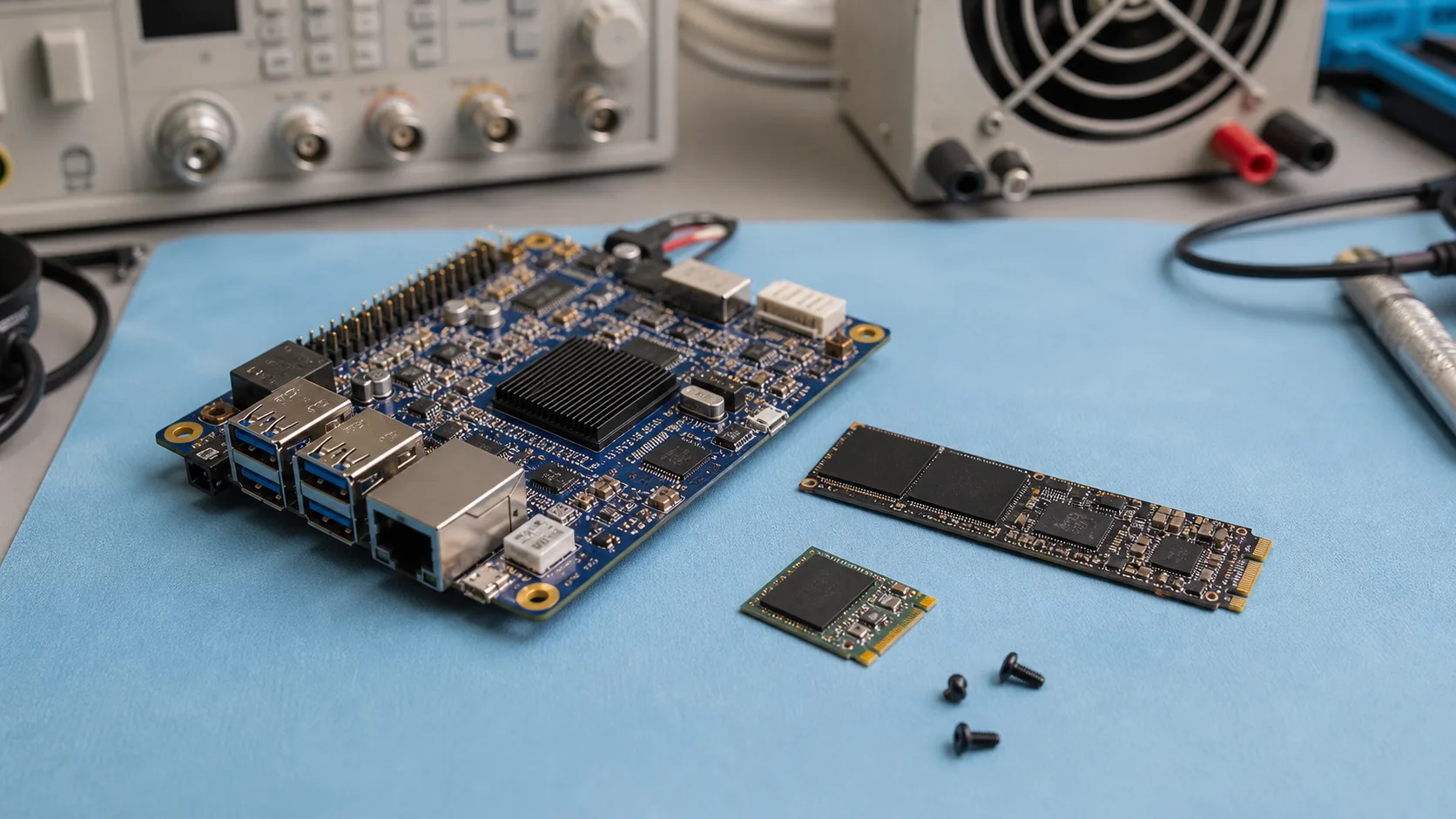
Storage is one of the least glamorous parts of an embedded system, but it causes many field failures. A processor can be fast and the software can be well written, yet a device can still fail because the storage wears out, corrupts after power loss, overheats, or cannot handle logging. For industrial SBCs, the common choice is often eMMC vs NVMe.
eMMC is integrated, compact, and predictable for many embedded products. NVMe is faster and higher capacity, but it adds cost, heat, and sometimes complexity. The right choice depends on write volume, performance, enclosure, update strategy, and service expectations.
Quick Comparison
| Area | eMMC | NVMe SSD |
|---|---|---|
| Best use | OS boot, moderate logs, compact devices | High-speed storage, databases, video, large logs |
| Speed | Moderate | High |
| Power | Lower | Higher |
| Heat | Usually low | Can be significant |
| Replaceability | Usually soldered | Often replaceable |
| Capacity | Limited compared with SSD | Much larger options |
| Power-loss resilience | Depends on part and filesystem | Depends heavily on SSD class |
eMMC Strengths
eMMC is common in industrial ARM SBCs because it is compact and soldered to the board. That improves mechanical reliability compared with removable microSD. For gateways, HMIs, controllers, and lightweight edge devices, eMMC is often enough.
Good eMMC use cases include:
- Linux or Android boot storage
- application files
- configuration
- moderate logs
- small local databases
- A/B firmware partitions
The main limitation is write endurance and capacity. If the system writes continuously, eMMC must be sized and managed carefully.
NVMe Strengths
NVMe is useful when the embedded system needs high throughput, high capacity, or replaceable storage. Machine vision, video recording, edge analytics, local databases, and data logging can justify NVMe.
NVMe is especially useful for:
- image and video storage
- large model files
- local database workloads
- high-frequency logging
- customer-accessible storage replacement
- systems needing hundreds of GB or TB capacity
The downside is heat. A small NVMe drive can become one of the hottest components in a fanless enclosure, especially in industrial SBC machine vision systems that write image evidence or video clips during production.
Power-Loss Behavior
Power loss is a major embedded storage risk. If the device loses power during writes, filesystems or databases can corrupt. Industrial SSDs with power-loss protection are better for critical workloads, but not all NVMe drives include real protection.
For either eMMC or NVMe:
- test sudden power cuts
- use journaling filesystems carefully
- avoid unnecessary writes
- use database transactions
- consider read-only root partitions
- implement update rollback
Useful Linux checks:
lsblk -o NAME,SIZE,MODEL,TYPE,MOUNTPOINT
df -h
sudo smartctl -a /dev/nvme0n1
smartctl availability depends on package and drive support.
Write Endurance
Estimate writes before choosing storage. A sensor gateway writing small logs may be fine on eMMC. A camera system saving images all day may require an industrial SSD.
Example:
| Workload | Storage choice |
|---|---|
| OS plus simple logs | eMMC |
| HMI recipes and alarms | eMMC or small SSD |
| Frequent database writes | Industrial SSD preferred |
| Event images | eMMC for light use, SSD for volume |
| Continuous video | NVMe or SATA SSD |
| AI model storage | Either, depending on size |
Log rotation is mandatory. Debug logs left enabled can destroy flash endurance.
Thermal Considerations
eMMC usually runs cooler because it is integrated and lower power. NVMe can throttle if it gets hot. In fanless systems, that can reduce performance or create failure risk. If an NVMe drive is installed inside a sealed box, measure SSD temperature during sustained writes.
For machine vision or signage players, test the actual media workload. A drive may behave well during reads but overheat during continuous writes. If the enclosure is sealed, fanless industrial computer thermal design has to include SSD temperature, not just CPU temperature.
Boot and Serviceability
eMMC is often better for appliance-like products because it is soldered and harder for users to disturb. NVMe is better when field replacement is required or the storage capacity varies by customer.
Some products use both: eMMC for OS boot and NVMe for data. That is a strong design if the board supports it. The OS remains stable while user data lives on replaceable high-capacity storage.
Partitioning Strategy
A good embedded storage layout separates the operating system, application, configuration, and data. This reduces the chance that logs or user data will fill the root filesystem and break the device. For updateable products, A/B system partitions allow rollback after a failed update.
Typical layout:
| Partition | Purpose |
|---|---|
| boot | Kernel, device tree, boot files |
| rootfs A/B | Updateable operating system images |
| config | Device identity and site settings |
| data | Logs, database, captured media |
| recovery | Service and factory recovery image |
This design can be used with eMMC or NVMe. The important part is controlling writes and protecting configuration from accidental overwrite during updates.
Monitoring Storage Health
Production systems should report storage health before failure. For NVMe, SMART data may expose temperature, percentage used, media errors, and unsafe shutdown counts. eMMC health reporting is more vendor-specific but may still be available through kernel interfaces or vendor tools.
At minimum, monitor free space, remount events, filesystem errors, and unexpected reboots. Many storage failures begin as intermittent errors long before the device becomes completely unusable.
Procurement and Qualification
For production systems, qualify the exact storage part number. Do not assume all eMMC or NVMe devices behave the same. Controller firmware, NAND type, endurance rating, temperature range, and power-loss behavior vary widely. If the supplier changes storage without notice, the product may need regression testing. For industrial deployments, BOM control and change notification are part of storage reliability.
Recommendation
Use eMMC for compact industrial SBCs with moderate write loads, controlled software, and appliance-style deployment. Use NVMe when the system needs high capacity, high write volume, local databases, image/video storage, or replaceable storage.
Do not choose NVMe only because it is faster. In embedded systems, speed is not always the limiting factor. Power, heat, endurance, recovery, and update safety often matter more.
The best storage design is boring: it boots every time, survives power loss, does not wear out unexpectedly, and gives maintainers clear diagnostics before failure.